

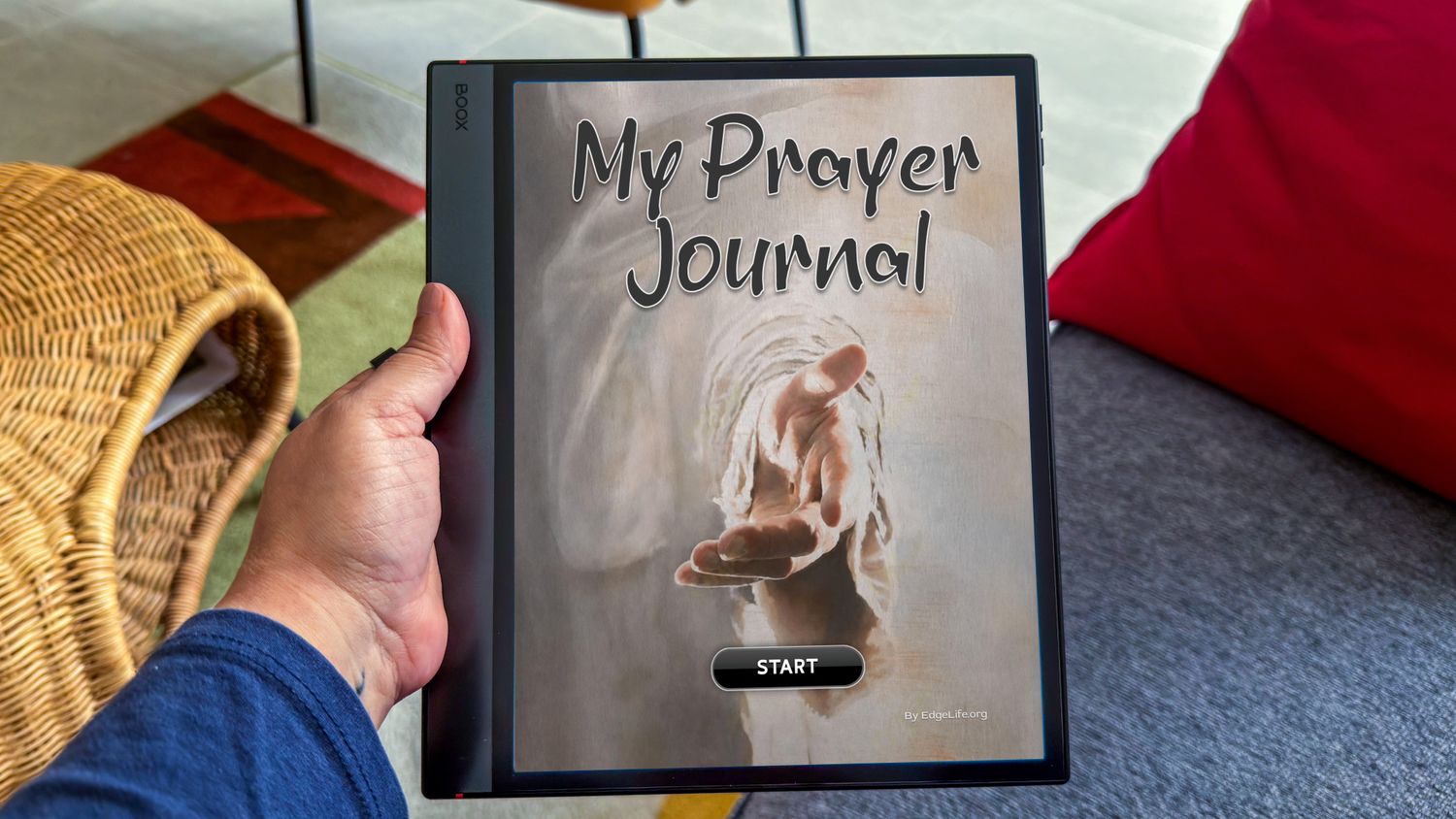
My Prayer Journal PDF for Boox.

$17.00
On Sale
was $34.00 Save 50%
Price incl. GST (10%) $1.55
In stock
1
Maximum purchase quantity: 1 items
Product Details

My Prayer Journal PDF for Boox, keeps all your prayers in one place. Great for Prayer Warriors.


OVERVIEW:

There are 6x PRAYER POINTS INDEX pages that list 20 Prayer Points per page.

Each PRAYER POINT has 2 pages – 1x OVERVIEW Page and 1x NOTE-TAKING Page.

Each OVERVIEW page contains PRAYER TOPIC, DATE, MY PRAYER, SCRIPTURES, PRAYER OUTCOME, DATE ANSWERED, and additional ruled NOTES pages. All pages include easy navigation.

We hope you love it!

- All pages include easy navigation. Tap on the page title of any page to return to the start page.


HERE'S WHAT YOU GET:

- 1x MY PRAYER JOURNAL PDF TEMPLATE (File size 7MB)

- 120 Notepad templates in one PDF for unlimited use

- Fully hyperlinked

- Vertical Portrait layout view

- Beautiful, simple, and fun layout

- MY PRAYER JOURNAL (1 prayer point overview page with 1 note page)


------ ††† ------
HOW TO INSTALL...
You can upload the MY PRAYER JOURNAL PDF TEMPLATE to your BOOX device wirelessly using the built-in BOOX Drop Guide or via a direct USB cable.

Method 1: Wireless Transfer (BOOX Drop)
• Connect your computer and your BOOX device to the same Wi-Fi network.
• Open the BOOX Drop app on your BOOX device.
• Note the web address (URL) shown on the e-reader screen.
• Open a web browser on your computer and type that URL into the address bar.
• Drag and drop the MY PRAYER JOURNAL PDF TEMPLATE into the browser window or click Send to Books/Storage to upload it.

Method 2: USB Cable Transfer
• Connect your BOOX device to your computer using a USB-C cable.
• Allow file transfer permissions on your BOOX screen if prompted.
• Open the device storage from your computer explorer/finder.
• Drag and drop the MY PRAYER JOURNAL PDF TEMPLATE directly into the Documents folder on your BOOX.

Method 3: Cloud Storage or Email
• Log into your preferred cloud app (like Google Drive, OneDrive, or Dropbox) through the built-in Google Play Store on your BOOX.
• Download the MY PRAYER JOURNAL PDF TEMPLATE straight to your device storage.
• Alternatively, email the MY PRAYER JOURNAL PDF TEMPLATE to an address accessible on your BOOX mail app and download the attachment.
------ ††† ------

This Christian Believers MY PRAYER JOURNAL PDF TEMPLATE has fully hyperlinked buttons that work on your BOOX Note Air 3 C, Note Air 4 C, Note Air 6 C, BOOX Tab Ultra C, Tab Ultra C Pro and BOOX Go 10.3 (Gen II) devices.


SUGGESTION:(To Save Money)

1. Make a copy of the PDF file that you’ve just downloaded.

2. Rename the copied PDF file, i.e. year/month, and save the file.

3. Use the saved PDF file that you renamed for your MY PRAYER JOURNAL and keep the original in a safe place.

4. When you’ve completed/filled up the 120 PRAYER POINTS. Make a NEW copy of the ORIGINAL BLANK TEMPLATE PDF File and save it with the new filename year/month for the next 120 PRAYER POINTS.

- MEANING: You can use this product over and over again at no further cost to you.

Fully hyperlinked buttons that work on your BOOX Note Air 3 C, Note Air 4 C, Note Air 6 C, BOOX Tab Ultra C, Tab Ultra C Pro and BOOX Go 10.3 (Gen II) devices.
------ ††† ------

* The EDGE LIFE logo watermarks on images displayed are not included in the download PDF that you will receive.


I look forward to your thoughts.

Kindest regards and many blessings,

Eric

TERMS OF USE:

Purchase of this file entitles the purchaser to use this file for non-commercial use only. This file must not be shared, reproduced or sold. Due to the digital nature of this product, all purchases are non-refundable.
Share this product with your friends
My Prayer Journal PDF for Boox.