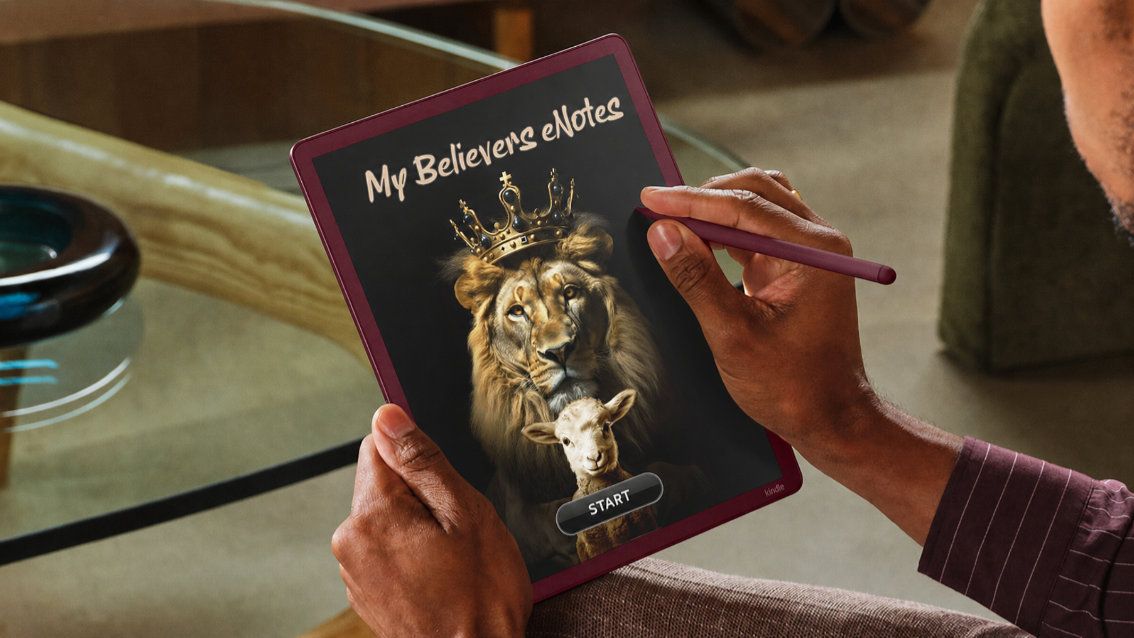
*This is Version 2 of My Believers eNotes with so many more features.
MY BELIEVERS eNOTES V2 are 4 dynamic products in one.
They are...
1. Sermon Notes,
2. Bible Study Notes,
3. My Prayer Journal,
and 4. Gratitude Reflections.
The MY BELIEVERS eNOTES V2 product is a PDF designed for most e-Ink paper-like devices. It’s a quick, easy, and practical way to take all your notes from Church, online Church services, Bible Studies, and your personal time with God by keeping all your notes together in one place, instead of countless notepads.
HOW TO IMPORT PDF TO KINDLE SCRIBE
1. Download the MY BELIEVERS eNOTES V2 PDF for Kindle Scribe.
2. Upload the planner to your Kindle library using “Send to Kindle” (https://www.amazon.com/sendtokindle)
3. The planner will now be visible in your Kindle library.
4. Select the MY BELIEVERS eNOTES V2 PDF TEMPLATE file from your Kindle Scribe home screen and open it to begin organizing, planning, and taking notes.
5. Start enjoying.
Fully hyperlinked buttons that work on your Kindle Scribe 1, Kindle Scribe 2 & Kindle Scribe Coloursoft devices. PDF Christian Template.
HERE'S WHAT YOU GET:
- 1x PDF (File size approx. 25MB)
- 2026 New Edition Version 2.
- 52 week template for unlimited use.
- Fully hyperlinked.
- Vertical Portrait layout view.
- Beautiful, simple, and fun layout.
- Bible Study Notes (5 pages per study). There are 120x Study Notes Sections.
- Sermon Notes (1 overview page with 5 note pages). There are 120x Sermon Notes Sections.
- Prayer Journal (1 Prayer Points page with 1 notes page). There are 120x Prayer Journal Sections.
- Gratitude Journal for 52 weeks (52x overview page, 3x Soul Food Pages, 52x Notes page, 52x Sketch page, 52x Word Search Puzzle and 52x Puzzle Maze)
BACKGROUND STORY... I initially created the "Believers eNotes" for myself so I could write down sermon notes at Church and notes at my Bible Studies Group on my new ePaper Kindle Scribe (Instead of using hundreds of notepads). And then the idea grew when I added Prayer Points and Gratitude Reflections and more, which I hope you enjoy.
It's been so much fun making the "MY BELIEVERS eNOTES V2" fully hyperlinked PDF for Kindle Scribe and other eInk devices. I want you to know I made it out of love for the Lord and to remember the lessons He teaches me. I developed it from real-world experience and use.
I look forward to your thoughts. If you need any help, please reach out to me.
Kindest regards and many blessings,
Eric
TERMS OF USE:
Purchase of this file entitles the purchaser to use this file for non-commercial use only. This file must not be shared, reproduced or sold. Due to the digital nature of this product, all purchases are non-refundable.